Monday, October 26, 2026

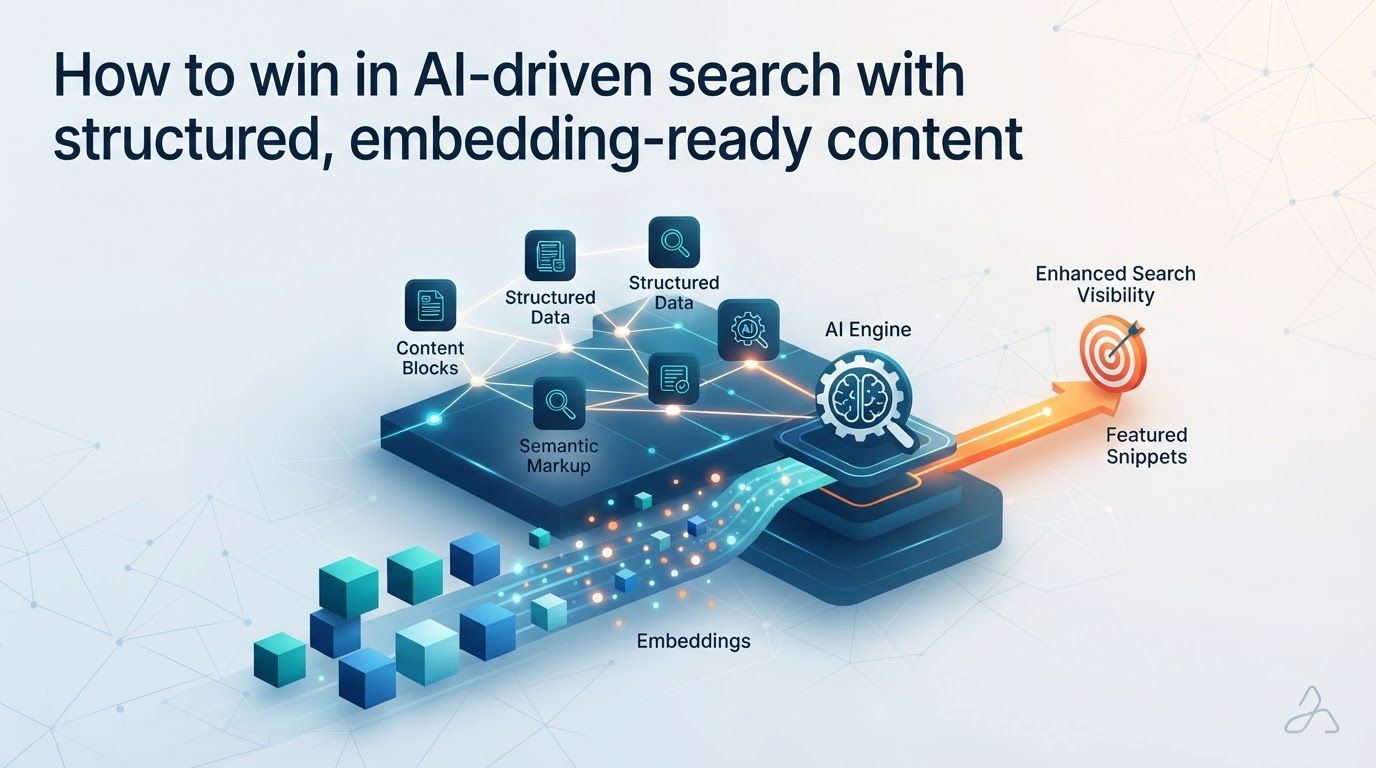
How to win in AI-driven search with structured, embedding-ready content

How to win in AI-driven search with structured, embedding-ready content

A page can rank for a keyword and still be difficult for an AI search system to use if its answer is buried, its terms are inconsistent, or its claims lack clear context. For affiliate marketers and home-based entrepreneurs, embedding-ready content offers a practical response: make each useful idea easy for a person to understand and easy for a retrieval system to find, interpret, and attribute.

This does not mean replacing good SEO with a mysterious new optimization trick. Google says its AI Overviews and AI Mode draw on core Search ranking and quality systems, and that publishers do not need to rewrite content specifically for AI or add special generative-AI schema. The opportunity is to improve the pages you already depend on: answer real questions clearly, connect related topics, show your evidence, and check what search tools reveal about your visibility.

What embedding-ready content means for AI-driven search

Embedding-ready content is writing that expresses a useful concept with enough clarity and context to remain meaningful when a search system examines a passage on its own. An embedding represents relationships between pieces of text; OpenAI’s documentation describes embeddings as a way to measure how related text strings are. That does not mean an algorithm rewards a particular writing template. It means vague, fragmented copy gives retrieval systems less explicit information to work with than a passage that names the subject, explains the relationship, and answers the question.

Consider a home-business article about email marketing. A embedding that says “Make it work for you” leaves the topic unstated. “How an email welcome sequence supports an affiliate offer” tells the reader what the section covers, while the paragraph underneath can explain when a sequence is useful, what it contains, and what the marketer should not assume it will accomplish. The second version is more helpful even if no AI system ever reads it.

Write each important passage so a reader arriving directly at that passage can tell what question it answers and what conditions apply.

There is a technical reason this matters. Google says its generative Search features can use retrieval-augmented generation and query fan-out, issuing related searches across subtopics and sources. OpenAI’s retrieval documentation describes systems that combine semantic embeddings with keyword similarity. Together, those descriptions point toward a sensible editorial approach: use the terms people actually search for, but also explain adjacent concepts and relationships in ordinary language. A page should not depend on exact-match repetition, nor should it hide its central subject behind clever wording.

For an affiliate site, this might mean using the product category, the audience, and the use case in a passage about a recommendation. “This budgeting app may suit a freelancer who needs to separate business expenses from household spending” carries more retrievable meaning than “It is perfect for everyone.” The first sentence also gives a reader a basis for deciding whether the recommendation applies to them.

Embedding-ready is therefore a content-quality standard, not a guarantee of placement in an AI answer. Retrieval, selection, and citation depend on the search experience and competing sources. Start by making the page genuinely useful, then make that usefulness easy to locate.

Audit where your current pages make readers infer the answer

Before publishing another AI-search article, inspect a few pages that already matter to your business: a buyer’s guide, a comparison, a tutorial, and a page that attracts relevant search visits. Read each as if you landed halfway down it from a search result. Can you identify the subject and get a usable answer without reading several earlier sections?

Search Engine Land’s reporting on AI retrieval argues that a page can rank well yet fail to contribute to an AI answer when essential information is buried, inconsistent, or left to inference. That is an industry analysis rather than a universal diagnostic rule, but it suggests an effective editing exercise. Look for the places where you know what you meant because you wrote the page, while a new reader would have to guess.

  • Buried conclusions: A review discusses features for several paragraphs before saying who the product is suitable for. Move that decision closer to the relevant embedding, then explain the reasoning.
  • Unexplained labels: A page switches between a product name, a nickname, and “the platform.” Establish the full name first and use shorter references only when the subject remains clear.
  • Missing conditions: A tutorial says a tool “saves time” without identifying which task it changes or what setup it requires. State the task and the condition.
  • Unsupported comparisons: A roundup calls one option “best” without saying what it is best for. Define the audience and criteria, then explain the trade-off.
  • Answers trapped in images: A graphic contains the only explanation of a process. Put the essential steps in visible text as well.

Try a simple passage test. Copy one paragraph, leaving out the title and neighboring text, and ask whether it still identifies the entity, question, answer, and any important limitation. You do not need every paragraph to stand alone; introductions and transitions have different jobs. Apply the test to passages that carry the page’s main advice, product claims, or comparisons.

Make a short revision list rather than rebuilding everything at once. For a small affiliate site, the highest-value fixes often involve a handful of pages where readers are closest to a decision. Preserve useful detail and original experience while removing ambiguity. A thinner page that merely repeats its target phrase is not an improvement.

Build passages that answer specific questions without losing context

Clear embeddings help both people and search systems understand the job of each section. Google’s helpful-content guidance calls for descriptive embeddings and original information made for people. Bing’s guidance also favors a logical embedding hierarchy. Think of your H2 embeddings as the major questions a reader must resolve, and use H3 embeddings when one question needs several distinct parts.

A practical section starts with the answer, then supplies enough explanation to make the answer trustworthy. For example, on a page about affiliate disclosure placement, first tell the reader what placement principle you are discussing. Then explain the page context and what the reader should check, rather than opening with a long general discussion of trust. The point is not to turn every paragraph into a snippet. It is to prevent the core answer from getting lost behind an introduction that says little.

Use an answer, evidence, and boundary pattern

  1. Answer the narrow question. State the action or distinction in plain language, using the relevant term rather than a vague substitute.
  2. Explain the basis. Add your firsthand observation, documented product detail, example, or reasoning. Make it clear which kind of support you are providing.
  3. Set the boundary. Name the situation in which the advice changes. This helps readers avoid applying a recommendation too broadly.

Imagine you are writing about whether an AI writing assistant belongs in a home-based marketer’s workflow. A useful passage could say that the tool can help turn an approved outline into draft variations, but a person still needs to verify product details and assess whether the copy reflects actual experience. You could then show an example of a rough input, the kind of output you would keep, and what you would reject. That is more informative than simply calling the tool a productivity upgrade.

Specificity should not become clutter. If a section is about choosing an email platform, you do not need to define every marketing term or repeat the brand name in each sentence. Give the passage the context needed to answer its question, then link to a separate guide when the reader needs deeper instruction. Write for a person who wants a decision, not for an imagined system that needs endless synonyms.

Visible evidence strengthens the same structure. If your recommendation comes from using a workflow, say what you tested and what you observed without implying broader results you cannot support. If you rely on a vendor’s documentation, identify that basis in the copy. OpenAI’s search materials emphasize grounded, traceable responses and web links; source able claims also help human readers evaluate your advice.

Connect related topics without turning one page into an encyclopedia

Query fan-out changes how you should think about coverage. A search about a product or workflow may lead a system to examine related questions, not just pages matching the original wording. That makes connected, well-scoped topic coverage valuable. It does not mean every article should try to answer every question in a niche.

Suppose your site helps beginners build an affiliate email program. A useful core page might explain how a welcome sequence works. Supporting pages could address choosing an email service, writing a first message, segmenting subscribers, checking links, and evaluating whether an offer fits the audience. Each page has its own question and can link to the next decision. The cluster is stronger when the pages use consistent terms and explain how their subjects relate, not when they repeat the same overview under different titles.

Map entities and reader decisions together

An entity can be a product, company, person, feature, concept, or other identifiable subject. Bing’s 2026 guidance points to aligning text, images, and video around the same entities and concepts. For your content plan, write down the main subject of each page and the relationships a reader needs to understand: which tool performs a task, which feature matters for a use case, and which limitation affects a purchase decision.

Then ask what the reader would naturally want to know next. Someone comparing automation tools may need to understand setup effort before reading about advanced workflows. Someone learning to build an affiliate website may need an explanation of tracking links before a guide to performance analysis. Organizing pages around those decisions gives internal links a useful purpose and makes topic coverage easier to maintain.

Bing’s AI Performance reporting offers another way to inspect this work. Its grounding-query data shows queries associated with content used in AI-generated answers, while Microsoft’s Topics Portfolio beta groups grounding queries into thematic clusters. Microsoft’s AI Visibility Insights also includes Intents, Topics, Citation Share, and Compare views. These tools do not prescribe a universal site architecture, but they give site owners a way to see whether AI visibility is concentrated in expected topics or scattered across unrelated queries.

The trade-off is scope. A focused site can explain a modest set of connected questions thoroughly; it does not need a large collection of shallow posts. Add a supporting page when it resolves a real reader problem that the existing page cannot cover cleanly. If a question takes only a short paragraph to answer, keeping it on the parent page may be better than creating another URL.

Make text, images, and video reinforce the same explanation

Visual content can make a tutorial easier to follow, particularly when you are showing a dashboard or workflow. But an image should not be the only place where a critical answer appears. Bing’s Webmaster Guidelines favor captions and transcripts, and say images and video should reinforce the primary text rather than serve as its sole source of meaning.

For a walkthrough, write the essential action in the page text before or beside the screenshot. A caption can identify what the image demonstrates, while appropriate image descriptions can communicate meaningful content to people who cannot see it. If a video contains steps or qualifications that matter to the decision, include a transcript or a concise written account. These choices improve accessibility and keep the explanation available in text.

Consistency matters across formats. If your article calls a setting “subscriber segmentation” but the graphic calls it “audience buckets,” explain the connection or choose one label. If a video recommends a different process from the written instructions, update one of them. Bing’s guidance on aligned text, images, and video supports a straightforward rule: every format should describe the same underlying subject accurately.

  • In a comparison: Put criteria and conclusions in text, even when a diagram makes the differences easier to scan.
  • In a tutorial: Describe each essential step in words; use screenshots to show where the action happens.
  • In a product demonstration: Explain what the demonstration shows and what it does not establish.

You do not need to produce video for every post. A clear text guide may be the right format for a simple decision, while a screen recording can help when a process is hard to describe. Choose the format for the reader’s task, then keep its important information consistent with the visible page copy.

Use structured data as a reflection of the page, not a substitute for it

Structured data can help search engines interpret eligible page information and support certain rich-result experiences, but it is not a special entry ticket to generative AI search. Google explicitly says no schema markup is required solely for its generative Search features. It also warns against over focusing on structured data and says markup should match the visible text on the page.

That distinction matters for a small business with limited publishing time. If a review page does not explain what was evaluated or who a product suits, adding markup will not give readers the missing analysis. First make the on-page product names, descriptions, claims, and relationships accurate. Then consider appropriate structured data that reflects what is actually visible.

Industry reporting from Search Engine Land argues that schema can aid entity understanding in AI search, especially when publishers can validate and maintain it at scale. It also reports broader claims about structured data use in AI answers and product recommendations. Treat those as industry reporting, not a promise that adding a particular property will cause citation. Google’s own guidance sets the safer operating principle: useful content comes first, and markup must represent that content faithfully.

This also affects how you spend time on older SEO tactics. Google’s documentation says FAQ rich results no longer appear in Search starting May 7, 2026. A genuinely helpful question-and-answer passage can still belong on a page when readers need it, but building pages around an unavailable display feature is not a durable strategy. Clear embeddings and visible answers remain useful even when a specific search presentation changes.

A sensible schema check for a small site

  1. Confirm the page has a clear purpose. Identify its primary subject, audience, and useful information in visible copy.
  2. Choose only relevant markup. Do not add types or claims merely because a generator makes them available.
  3. Compare markup with the page. Check names, descriptions, and other represented facts against what readers can see.
  4. Maintain it when the page changes. An updated recommendation paired with outdated markup creates avoidable inconsistency.

If you must choose between polishing a vague review and implementing more elaborate markup, polish the review first. The two practices work best together when the page itself is worth understanding.

Publish with an evidence-first workflow you can maintain

AI tools can speed up outlining and editing, but they can also make it easy to publish polished claims that no has checked. E-E-A-T principles offer a useful editorial lens here: show relevant experience where you have it, apply expertise to the decision, make the basis for important claims visible, and be trustworthy about limitations. Authority should come from the quality and accountability of the work, not from declaring that a page is authoritative.

Start with a reader question and a decision the page should help someone make. Gather the product information, documentation, or firsthand notes you need before asking an AI tool to draft. For an affiliate comparison, record which features you verified, what you observed yourself, and what remains uncertain. Keep those categories separate in the finished article. A vendor description is not a personal test, and an example workflow is not evidence that every reader will achieve the same result.

A repeatable publishing sequence can stay simple:

  1. Define the question. Write one sentence describing the audience, the situation, and the answer the page must provide.
  2. Outline the decisions. Give each major reader question a descriptive embedding and remove sections that do not help resolve it.
  3. Draft from evidence. Add verified details and concrete examples before smoothing the prose. Use AI assistance for organization or wording without delegating fact-checking.
  4. Run the passage test. Check whether important sections name their subject and state their conclusion without requiring guesswork.
  5. Review the page as a whole. Confirm that links, images, captions, any transcripts, and structured data agree with the visible text.
  6. Schedule a maintenance check. Revisit claims and recommendations when the underlying product or process changes.

For a home-based business, this workflow is more sustainable than trying to optimize every sentence for an imagined AI score. It also makes delegation easier. A writer can draft against a defined question, an editor can verify evidence, and the site owner can make the final call on recommendations that affect audience trust.

Be especially careful with commercial claims. If you earn a commission, your recommendation still needs a clear rationale that serves the reader. Explain the use case and trade-offs rather than treating a product link as the conclusion. The result is a page a person can use to make a decision and a search system can potentially use as grounded evidence.

Measure AI search visibility without chasing citations alone

Traditional search performance still matters because, as Google explains, its generative experiences build on core ranking and quality systems. Continue checking whether your pages address the searches and reader needs you intended. AI-specific reports add a different view: they can reveal whether your content contributes to generated answers and which topics are associated with that use.

Bing’s AI Performance report in Webmaster Tools shows cited pages, visibility trends, and grounding queries. Its thematic views can help you move beyond a single query: look for clusters that match your intended expertise, pages contributing to multiple related questions, and important topics where your site has little visible presence. These observations can inform an editorial review, but they are not a complete account of every AI search experience.

Work through findings in this order. First, inspect the cited page itself: does it answer the grounding query directly, or is Bing drawing on a passage you did not expect? Next, look at nearby pages and internal links to see whether the topic is connected coherently. Finally, compare the finding with your business goal. A citation for a tangential question may be interesting, while an uncited page that helps readers choose a product may still be valuable to maintain.

A useful review note might read: “This page is appearing for setup questions, but readers still need a clear explanation of ongoing maintenance.” That observation leads to an editorial decision: expand the existing section or create a focused follow-up if the subject warrants one. It is more actionable than adding the phrase “AI search” across the site.

Avoid treating citations as guaranteed conversions or as proof that every claim on a page is correct. A cited passage tells you something about use in a particular search experience; it does not replace reader feedback, editorial checks, or the practical value of the page. Likewise, a lack of visible citations does not establish that a page has no value. Use the reports to identify questions worth investigating, then improve the content for people first.

The strongest measurement habit is a small feedback loop: publish a page with a clear purpose, inspect its search and AI visibility where tools provide it, review what readers still need, and revise accordingly. That keeps optimization tied to evidence instead of speculation.

To win in AI-driven search, keep the foundation straightforward: publish original, helpful answers; make important passages explicit; connect related topics; and ensure any markup or media reflects the visible page. Embedding-ready content is not a separate layer of copy written for machines. It is well-organized content whose meaning survives when a relevant passage is found on its own.

Start with one page that matters to your audience. Find a buried answer, clarify its embedding and evidence, check the surrounding topic links, and update anything that no longer matches. Then use the search feedback available to you to decide what deserves attention next. Those manageable improvements can strengthen a growing affiliate site without asking you to chase every change in AI search.


Sunday, October 25, 2026

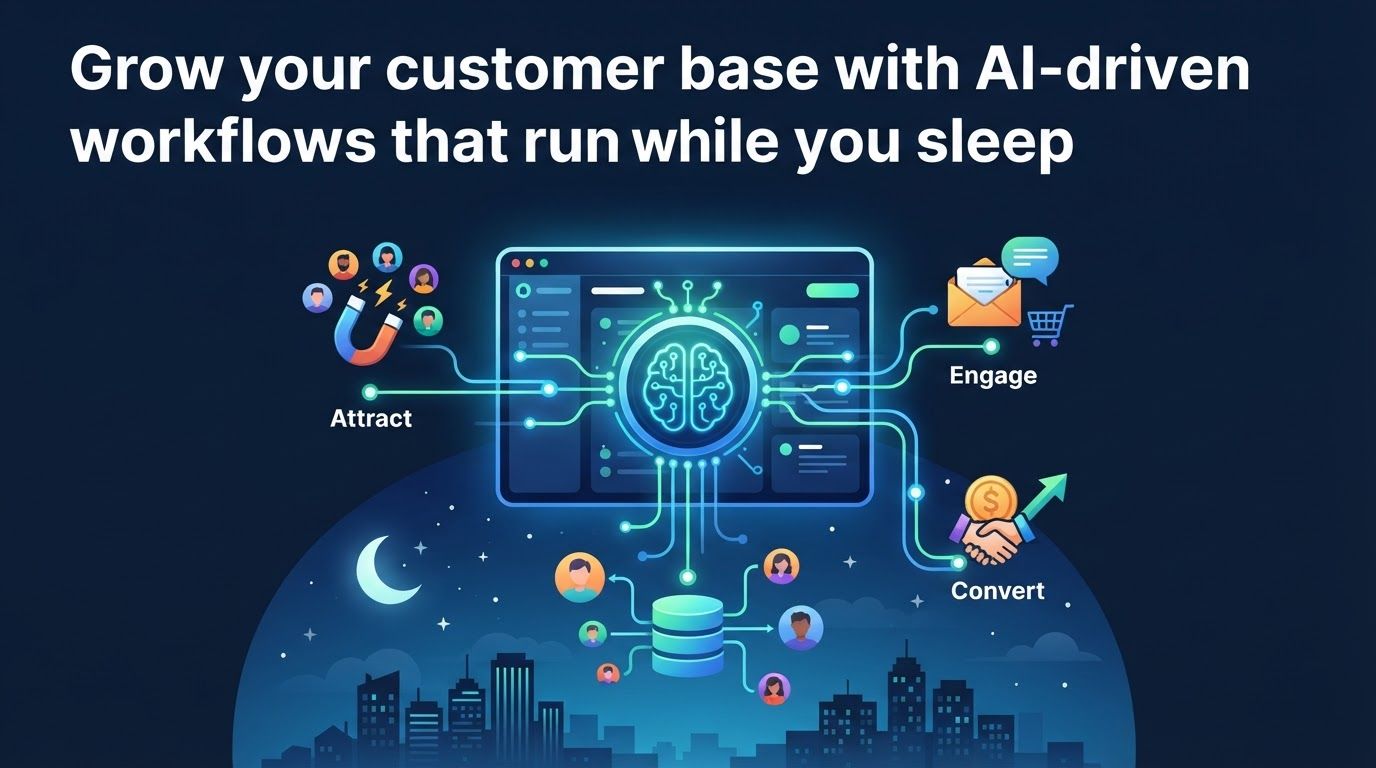
Grow your customer base with AI-driven workflows that run while you sleep

Grow your customer base with AI-driven workflows that run while you sleep

You do not need to be awake every time a potential customer finds your business, asks a question, or requests help choosing a product. AI-driven workflows can capture that interest, provide an appropriate first response, and prepare the next step for you while you sleep.

The goal is not to put an unsupervised chatbot in charge of your income. For an affiliate marketer or home-based entrepreneur, the practical opportunity is to connect discovery, lead capture, follow-up, and human review into a process that keeps moving outside business hours. Here is how to build one without sacrificing accuracy or trust.

What AI-driven workflows can do while you sleep

An AI-driven workflow is a repeatable sequence in which an event starts a process, AI helps interpret or create something, and connected tools carry out defined actions. A visitor might submit a question on your site; AI can identify its topic and draft a relevant reply, while your email platform sends an approved resource or your task system flags the conversation for review. The workflow runs because you designed its triggers and boundaries in advance, not because AI independently decides how to grow your business.

The useful promise of a 24/7 workflow is simple: keep routine conversations moving, and make it easier for a person to step in when judgment matters.

That distinction separates a dependable growth system from a collection of clever prompts. A prompt can help you write one email. A workflow can recognize a new opt-in, check what the person requested, deliver the right starting resource, and put a question needing your expertise in your review queue. Each action has a purpose, a rule for when it should happen, and a way to check the result.

OpenAI describes enterprise AI moving beyond assistance toward agents connected to company context, tools, and repeatable workflows. Its enterprise analysis found that frontier firms generated 8.3 times as many output tokens per active user as typical firms, which it presents as a proxy for deeper use. That is not a small-business growth benchmark. It does, however, illustrate the difference between occasionally asking AI for an idea and making it part of ongoing operations.

You can start much smaller than an enterprise team. A useful first workflow needs four pieces:

  • A trigger: a form submission, email reply, booking request, or new question.
  • Reliable context: your offer details, approved answers, audience segments, and relevant customer information.
  • A bounded action: categorize the request, send a known resource, draft a reply, or create a task.
  • An escalation path: send uncertain, sensitive, or high-stakes cases to a person.

The best overnight workflow does not try to replace every customer interaction. It prevents a useful next step from waiting until morning. Gartner describes a related design pattern in which generative AI understands intent while traditional automation completes a transaction in the background. You can apply the same principle with a modest email system and a review queue: let AI help decide what a message is about, and let well-defined automation perform only the actions you have authorized.

Make your business discoverable before automating the follow-up

An always-on response system cannot grow your customer base if people cannot find you. For affiliates and small online businesses, that means thinking about both traditional search and AI-mediated discovery. Someone might still find your comparison article through a search engine, but another shopper may ask an AI assistant to explain which option fits a particular need.

Salesforce reported that use of agentic search as the first step in the shopping journey grew 200% year over year. Its research also found that, between August 2025 and May 2026, discovery through brand-owned properties fell 7% and traditional search fell 15%, while newer channels including AI assistants, social media AI, and delivery apps grew 38%. Those findings point to a changing mix of discovery channels; they do not mean you should abandon your website or assume every audience behaves the same way.

Build pages that answer a buying question completely

Answer-engine optimization begins with useful, specific content rather than a special phrase repeated everywhere. If you promote home-office software, a page that explains who needs the tool, which limitations matter, how alternatives differ, and what to check before subscribing is more helpful than a page built only around a product name. Clear offerings and direct answers also make it easier for a human visitor to judge whether to keep reading.

For each important page, ask whether a reader can identify the problem, understand the available options, and take an appropriate next step without guessing. State relevant product details plainly and keep them current. Where your income depends on a recommendation, make your affiliate relationship clear and distinguish your firsthand observations from claims supplied by a vendor. AI can help you organize and revise the page, but it should not invent product experience or verify facts it has not checked.

HubSpot reported that customers optimizing for AI search generated 20% more AI traffic, 170% more marketing-qualified leads, and 82% more deals than comparable customers not optimizing for AI search. This is a comparison reported by HubSpot, not a guarantee that changing one page will produce those results. Treat it as a reason to test whether clearer, more useful answers improve discovery and lead quality in your own business.

Connect discovery to a sensible next action

A visitor who reads an article about choosing a tool may not be ready for a sales pitch. Offer a checklist, a comparison guide, or a short email series that continues the same decision. Give each resource a distinct sign-up path so you can see which topic drew the visitor in. That simple connection gives your follow-up workflow useful context: it can deliver the promised material immediately and avoid sending a generic message unrelated to the reader’s question.

Keep existing SEO work in place while you test AI-search visibility. Your website remains the place where you can maintain accurate information, explain disclosures, collect permission to follow up, and measure what happens after discovery. New channels change how people arrive; they do not remove the need for a trustworthy destination.

Turn visits into qualified leads with helpful intake

Lead capture works better when it asks for enough information to help, not every detail you might eventually want. A visitor considering a product recommendation may be willing to share an email address and their main challenge. Asking for a long profile before providing the promised guide can create unnecessary friction. Design intake around the first useful action your workflow can actually take.

OpenAI’s small-business reporting highlights customer intake and booking tools, along with market and online-ad keyword research, as AI applications. You do not have to build a complex agent to use that pattern. A short form can collect the visitor’s selected topic, pass the response to your email platform, and create a record for future follow-up. AI becomes useful when it interprets a free-text question or prepares a concise summary that saves you from reading through a disorganized inbox.

Match the intake method to the decision

  • For an educational offer: ask which problem the subscriber wants to solve, then send the matching resource.
  • For an affiliate comparison: ask about the visitor’s use case, then provide a relevant comparison and invite them to review the limitations.
  • For a consultation or service: collect the project goal, timing, and an appropriate contact method, then offer available booking options.
  • For a support question: let the visitor describe the issue, provide an approved answer if one exists, and route anything uncertain for review.

Imagine you publish a guide to email tools for solo business owners. A reader clicks through from a search result at night, downloads your setup checklist, and selects ‘I need help choosing a platform.’ The system can send the checklist immediately, label the lead by topic, and queue a comparison email. If the reader adds a detailed question about moving an existing list, AI can summarize it for you instead of pretending it knows the right answer for that person’s data and provider.

This is also where permission and data restraint matter. Tell people what they are signing up for, store only the information needed for the next step, and honor the communication preferences they give you. Avoid passing sensitive details into tools merely because an integration makes it possible. A smaller, better-understood intake workflow is easier to test and maintain than one that collects everything and has no clear purpose for it.

The immediate win is not that every visitor becomes a lead. It is that a suitable visitor can get a relevant response without waiting for your working hours, while someone who needs personal attention arrives in your queue with enough context for you to respond well.

Use AI to nurture interest without pretending every lead is sales-ready

Once someone opts in, the next question is not ‘How often can I message them?’ It is ‘What would help them make a better decision?’ An automated sequence can explain a common problem, show an appropriate comparison, answer an objection, and invite a reply. AI can help draft or sort that material, but your approved sequence should set the direction.

Start with the reason the person joined. A subscriber who requested a beginner’s guide needs orientation; a visitor who asks about pricing may need a clear explanation of costs and trade-offs. If your system treats both as identical sales opportunities, automation merely scales the wrong conversation. A small number of meaningful paths is usually easier to manage than dozens of segments you cannot keep accurate.

OpenAI gives an example of a sales plugin that combines a team’s playbook with CRM access to draft a tailored response for human review. The important detail is the review. For your business, the equivalent might be an AI draft that draws on the lead’s selected topic and your approved product notes, then waits for you to confirm the recommendation before it is sent. That can be more valuable than a fully automatic message that sounds confident but misses a qualification.

Decide what can send automatically

Use a simple risk test: would an incorrect message merely be unhelpful, or could it mislead the customer or damage trust? A promised checklist, a booking confirmation, or a link to a published article may be suitable for automatic delivery once you have tested it. Personal product advice, unusual refund questions, complaints, and messages involving private circumstances deserve closer review. Put a clear stop or handoff rule in the workflow instead of asking AI to improvise an answer to every question.

Customers appear open to AI assistance, but access to people still matters. In Gartner’s 2026 survey, 50% of customers said interactions are easier when companies use generative AI, while 87% said access to a human agent is essential. For a solo entrepreneur, ‘human agent’ may simply mean you. Make it easy to reply to an email, request a call if you offer one, or ask for personal help when the automated path does not fit.

Good nurture content also leaves room for ‘not yet’ and ‘not a fit.’ If a tool has a steep learning curve or does not suit a certain budget, say so where relevant. An honest comparison may lead to fewer impulsive clicks, but it gives the right readers a better basis for choosing and gives you a more trustworthy relationship with them. That is a stronger foundation for customer growth than a sequence built entirely around urgency.

Build your first overnight workflow in manageable steps

Pick one narrow situation before choosing software. A strong starting point is a recurring event you already understand: someone requests a guide, asks a common question, or books a conversation. Do not begin by trying to automate discovery, content creation, lead scoring, customer service, and sales all at once. One working path will teach you more than a diagram of a system you cannot audit.

  1. Choose the outcome. Write down what should happen when the trigger fires. For example: ‘A new subscriber receives the requested guide, and a question about platform migration creates a task for me.’ This states both the automatic action and the handoff.
  2. Map the current journey. Follow the visitor from the page or message that brings them in through the form, confirmation, email, and possible reply. Note what information each step needs and where the conversation currently stalls.
  3. Prepare a trusted knowledge set. Gather the relevant article, offer terms, product notes, disclosures, and approved answers. Remove outdated claims. Give AI only the context needed for its role, and make clear when it must say it lacks enough information.
  4. Set up the trigger and rules. Connect the form, inbox, booking tool, or CRM to the next action. Use straightforward rules for known cases, such as sending the resource that matches the form choice. Reserve AI for interpreting text or drafting where fixed rules are not enough.
  5. Define escalation before launch. Route uncertain questions, complaints, sensitive information, and requests outside your approved scope to a review queue. Decide what acknowledgment the visitor receives while waiting for you.
  6. Test real scenarios. Submit a normal request, an unclear request, a duplicate request, and a message that should reach a human. Check both what the visitor sees and what appears in your own records.
  7. Launch a limited version and inspect it. Review outputs regularly, correct mistakes at their source, and expand only when the basic path works reliably. Keep a manual way to pause the workflow if an offer or policy changes.

Here is a modest version for an affiliate blog. The trigger is a sign-up on a comparison article. The form asks what the reader is trying to accomplish, the email platform delivers a relevant checklist, and AI drafts a brief summary of any free-text question. A rule sends ordinary resource requests through automatically; questions that require a tailored recommendation wait for your review. When you return to work, you see the lead’s topic and actual question rather than a pile of unorganized notifications.

That setup may use tools you already have. The critical investment is not an elaborate stack but clear content, dependable connections, and time to check whether the workflow behaves as intended. If your volume is low, a form plus a simple email sequence and manual replies may be the better starting choice. Add AI only where interpreting, summarizing, or drafting genuinely removes a bottleneck.

Measure customer growth, not just automation activity

An overnight workflow can send messages successfully and still fail to help your business. Track the path from discovery to a useful outcome so you can distinguish busy software from improved customer experience. You do not need a complicated dashboard: a small set of measures tied to the original problem is enough to begin.

  • Discovery: which pages, search channels, or campaigns bring relevant visitors to your offer?
  • Lead capture: which resources attract sign-ups, and are those subscribers interested in what you actually provide?
  • Responsiveness: how quickly does someone receive the promised resource or an appropriate acknowledgment?
  • Conversation quality: how many replies need correction, escalation, or a better explanation?
  • Business outcomes: which paths lead to qualified inquiries, bookings, appropriate affiliate clicks, or customers?

Read those measures together. More sign-ups do not help much if they come from the wrong audience. Faster replies are not a win if the information is inaccurate. A larger review queue may mean your content is attracting engaged prospects, or it may mean the automatic path does not answer a basic question. Look at a sample of actual conversations before changing the workflow.

There are encouraging reports from larger organizations, but they need context. Salesforce found that 70% of customer service organizations adopting AI agents observed measurable value within 60 days of deployment. In its 2026 service research, customer satisfaction was the most improved KPI after deployment, a of productivity, handle time, retention, and first-response time. Those findings show why customer experience deserves attention alongside efficiency; they do not forecast the results of an individual affiliate site.

Salesforce also reported that adoption of AI agents in customer service organizations rose from 39% in 2025 to 66% in 2026. OpenAI says customer service and content generation together account for about 20% of API activity in its enterprise reporting. These are signs that customer-facing automation is being used in practice, not instructions to copy an enterprise system. Your own test is whether the right people get useful help and whether the resulting work is sustainable for you.

Review results on a regular schedule that fits your volume. Note where visitors abandon the path, which questions repeat, and which automatic messages prompt useful replies. Sometimes the best improvement is not a smarter agent: it is a clearer article, a shorter form, or a more precise explanation of who your offer is for.

Know the limits of a business that runs while you sleep

‘While you sleep’ is a good description of availability, not a promise that every decision should happen without you. AI may misread intent, draft an answer with unsupported detail, or rely on product information that has changed. Connected tools can also fail or send a message to the wrong path if their rules are poorly tested. Give the system a defined job and check its output rather than treating automation as proof of correctness.

Choose the right level of automation

There are three useful options. With simple automation, fixed rules deliver a resource or confirmation; this is often enough for predictable requests. With AI-assisted preparation, AI classifies a message or drafts a response that you approve; this suits nuanced questions. With bounded AI execution, AI handles a narrow routine interaction within approved information and routes exceptions to you. Choose the least complex option that solves the customer’s problem.

This approach also keeps your workload realistic. OpenAI’s research into more than 800,000 ChatGPT messages from U.S. users found that 16.8% of work-related messages and 43.5% of occupation-specific messages involved tasks associated with another occupation. It notes that a salesperson might explore customer data that once required an analyst, or a marketer might troubleshoot a website without waiting for a developer. For a home-based entrepreneur, that flexibility is useful, but it does not turn you into a specialist in every field. Use AI to prepare and investigate, then seek qualified help when a decision exceeds your expertise.

Be especially careful with claims about products you promote. Keep offer details current, check pricing and terms against the provider before publishing or sending a tailored recommendation, and never manufacture a customer story or personal test. If an affiliate offer changes, pause or update any sequence that mentions its old terms. A workflow that distributes outdated information efficiently is still a poor workflow.

There is a broader competitive reason to get the design right. Salesforce reports that 86% of commerce leaders believe AI is raising customer expectations, while 61% say meeting those expectations is harder than ever. Faster availability can help you respond to that pressure, but a timely, irrelevant answer is no substitute for a useful one. Your advantage as a small business can be a combination of dependable first steps and the personal judgment to handle what does not fit a template.

Keep ownership of the relationship visible. Make your identity and contact options clear, tell subscribers what to expect, and review where the system is losing people or creating confusion. The aim is not to disappear from your business. It is to protect your time for the recommendations, conversations, and decisions where you add the most value.

Start with one path your audience already takes: a useful page, a relevant opt-in, an immediate promised resource, and a clear route to you for questions. Once that path works, improve the content that attracts visitors and add only the AI steps that make their experience clearer or faster.

AI-driven workflows can help your business remain responsive after you log off, but customer growth still depends on earning attention and trust. Build the smallest workflow you can test, review what it actually sends, and let each improvement make the next customer interaction more helpful.


Check Out The Latest Featured Post That You Might Like!

How creators use agentic assistants to build repeatable revenue

Posting more content does not automatically create steadier income. Agentic assistants can help creators build repeatable revenue when they...