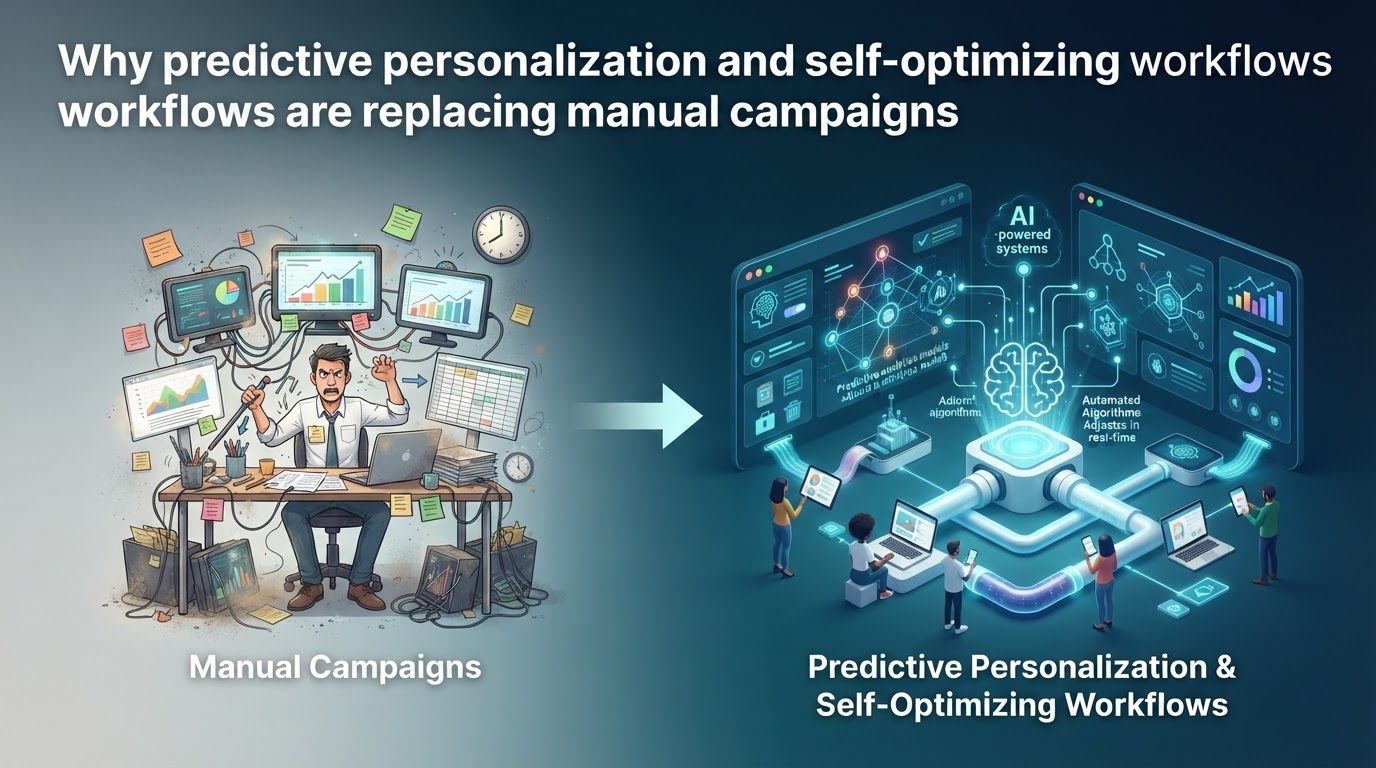
Writing a new email for every promotion can feel productive, but it leaves a home-based business reacting after a subscriber’s needs have changed. Predictive personalization offers a different approach: use relevant customer signals to decide which message, offer, or next step makes sense now, rather than sending everyone the same campaign on the same day.
That does not mean handing your marketing over to an algorithm. The practical shift is from manually scheduling every interaction to designing a useful customer journey, setting boundaries, and improving it with evidence. For affiliate marketers and small online businesses, the opportunity is to spend less time repeating sends and more time making recommendations worth receiving.
Why predictive personalization is replacing the manual campaign calendar
A manual campaign starts with the marketer’s calendar: choose a topic, write a message, select a list, and press send. That still works for a launch or important announcement. It becomes less useful as the default for every follow-up, because subscribers arrive at different times, explore different topics, and reach buying decisions at different speeds.
Predictive personalization starts with a different question: what is this person likely to need next? A prediction might estimate purchase likelihood, churn risk, future revenue, or a likely reorder date. Google Analytics, for example, provides predictive metrics for eligible properties, including purchase probability, churn probability, and predicted revenue; eligible marketers can use those metrics to build audiences.
Direct answer: Predictive personalization and self-optimizing workflows are replacing many manual campaigns because they can respond to customer behavior, choose among relevant paths, and use performance feedback to improve decisions. They do not replace human judgment about the offer, message, budget, or customer relationship.
Consider two readers who join your email list for a guide to starting an affiliate website. One is still choosing a niche; the other has published articles and is comparing email tools. A scheduled promotion for the same software may be timely for one and distracting for the other. A behavior-based journey can instead provide niche-selection advice to the first reader and a carefully qualified tool comparison to the second.
The appeal is not that a model knows what someone is thinking. It is that a workflow can use observable signals sooner than a busy person reviewing spreadsheets once a week. Mailchimp’s automation flows, for instance, can move contacts through different paths using triggers, conditions, and actions. Those capabilities make a journey more responsive than a fixed sequence, even before predictive scoring is added.
Think of the change as moving from campaign production to decision design. You still decide what good advice looks like. The system helps decide when to deliver it, whom to leave alone, and which version merits further testing. Manual campaigns remain useful; they simply stop carrying the full weight of every welcome, education, follow-up, and retention task.
How a self-optimizing workflow makes decisions
The phrase self-optimizing workflow can sound more autonomous than the software actually is. In practice, it combines a trigger, customer information, decision rules, messages, and a way to evaluate outcomes. Some components use machine learning; others are straightforward automation that follows rules you set.
Picture a reader who downloads your checklist about setting up a home office. The download starts an educational flow. If the reader visits your guide to video-call equipment, the next email can answer common microphone questions. If the reader buys through a tracked storefront you own, that purchase can end the sales sequence and start post-purchase help. If you only have an affiliate link to another company’s checkout, you may never see the completed purchase; the workflow must not assume that a click means a sale.
- Trigger: A meaningful event, such as a signup, a product-page visit, or a recorded purchase, starts or changes the journey.
- Decision: A rule or available prediction determines whether the person receives education, a comparison, a reminder, or no promotional message.
- Delivery: The system sends approved content through a suitable channel at an allowed time.
- Feedback: You review downstream actions and test whether the journey helped, then change the rule, message, or offer where needed.
Not every product closes that loop automatically. Mailchimp documents conditional splits that route contacts according to audience information or earlier activity, while Klaviyo documents randomized flow-branch tests for comparing timing, discounts, or the number of emails. These are useful building blocks, but a split test is not proof that every future decision will improve without review.
Some platforms optimize specific decisions at a larger scale. Google says Performance Max automates areas including bidding, budget optimization, audience selection, and creative combinations in pursuit of advertiser-specified conversion goals. The advertiser still supplies the goal, creative assets, and other inputs. If those inputs do not reflect a valuable business outcome, efficient optimization toward the wrong outcome is still a problem.
It also pays to check what a feature really does before building a plan around its name. Mailchimp’s Send Time Optimization selects an email send time using engagement data, but its documentation says the feature is not available for automated emails. It would be a mistake to promise that every Mailchimp automation can use that particular feature.
The most useful workflow is therefore not the one with the most AI labels. It is the one whose decisions you can explain: why someone entered, why they saw a particular recommendation, what would stop the messages, and how you would recognize a poor result.
What data predictive personalization needs to work
Good personalization begins with a small set of trustworthy signals. A beginner does not need to collect every possible click or assemble a complicated customer data platform. Start with information that changes a real decision: the topic a person requested, the pages they chose to read, the emails they clicked, their stated preferences, and purchases you can actually verify.
Give each signal a job. A signup topic can choose the welcome track. A visit to a detailed comparison may indicate that product-selection advice is useful. A confirmed purchase can suppress a basic sales pitch. A preference for beginner tutorials can keep advanced tactics out of the first few messages. If collecting a data point would not change your next action, ask whether you need it.
Predictions require more than a list of email addresses. Google Analytics says its predictive models need sufficient positive and negative examples: for the relevant prediction, at least 1,000 returning users must meet the condition and at least 1,000 must not, measured over a seven-day period within the last 28 days. Purchase-related predictions also depend on properly collected purchase events and associated value and currency information. Many small affiliate sites will not meet those requirements, particularly when the retailer, rather than the affiliate, records the sale.
Klaviyo’s documented requirements illustrate the same point from an ecommerce perspective. For its customer lifetime value predictions to appear on profiles, an account needs at least 500 customers who placed qualifying orders, an ecommerce integration or order events sent through its API, at least 180 days of order history, recent orders, and some repeat purchasers. An affiliate publisher without its own order history should not treat that model as an out-of-the-box solution.
There is also a difference between a useful estimate and a fact about an individual. Klaviyo cautions that predicted customer lifetime value is not exact and that expected next-order dates draw on broader customer behavior when an individual has little purchase history. Its expected-date prediction does not account for which product was ordered, so a known product-specific replenishment cycle can be better served by a conventional timed flow.
A sensible signal hierarchy for a smaller business
- Use explicit preferences first. If a subscriber says they want guidance on building an audience rather than buying ads, honor that choice.
- Add reliable behavior. Use clicks, form submissions, and confirmed events that your tools capture consistently.
- Use predictions when eligible. Check how the platform defines its score, what data it requires, and whether it is available for your audience.
- Fall back gracefully. When a score is missing, send a helpful general lesson or ask a simple preference question instead of guessing.
This order keeps the experience useful even when traffic is low. It also prevents an appealing but incomplete dashboard from becoming the foundation of your entire business.
What this looks like for an affiliate or home-based business
Imagine you publish practical articles about starting a home-based content business and recommend selected tools as an affiliate. You offer a free guide called ‘Plan Your First Month of Content.’ The guide is not merely a way to collect an address; it gives readers a useful starting point and asks which challenge they want help with next: choosing topics, building a website, or growing an email list.
Those answers create three educational paths. A reader choosing topics gets a worksheet and examples of search intent. A reader building a website gets a checklist of decisions to make before buying software. A reader growing a list gets an explanation of signup forms and welcome emails. The paths are personalized without pretending you know the reader’s budget or intent to purchase.
Now add behavior. Someone who clicks a detailed email-platform comparison may receive a follow-up explaining the criteria behind your recommendation: available automation features, learning curve, and the tasks a new business truly needs to accomplish. Someone who ignores that topic does not need repeated tool pitches. If a reader requests a consultation or replies with a specific question, stop treating them like an anonymous score and respond as a person.
For a business that sells its own products and records transactions, the next stage could use purchase history or, when eligible, a prediction. For a typical affiliate blog, the safer path is to optimize against outcomes it can observe, such as qualified clicks, replies, or lead-form submissions, while recognizing that these are not the same as verified affiliate commissions. Reconcile platform reports with the affiliate network’s reporting before deciding which recommendation earned money.
Use automation to choose the next helpful step, not to manufacture urgency or make a recommendation you would not stand behind yourself.
A good branch may choose not to send. If the reader has already received several messages, is outside the topic’s intended audience, or has asked to stop, silence is the right outcome. Klaviyo, for example, provides Smart Sending settings that can skip profiles recently emailed. That kind of frequency control matters as much as finding another moment to promote.
Keep the example grounded in what you can verify. Do not label a click as a purchase, imply a reader owns a product because they viewed its review, or claim a predicted interest is a stated preference. Clear distinctions make both the messages and your later analysis more trustworthy.
How to replace repetitive campaigns without rebuilding everything
The easiest starting point is a single journey you run often, not a complete redesign of your marketing. A welcome sequence is a strong candidate because new subscribers arrive throughout the week and usually need orientation before a promotion. Build one useful path, watch how people move through it, and expand only when the additional branch solves a real problem.
- Choose one outcome. Decide whether the journey should help readers find the right tutorial, request a consultation, start a trial, or make a qualified product comparison. Write down the outcome before choosing a tool.
- Map the existing manual work. List the emails you repeatedly write, the questions you answer, and the moments when you decide whether to follow up. These are candidates for automation; your judgment about what to recommend is not.
- Pick a reliable entry event. A form submission tied to a clear topic is easier to interpret than a vague ‘engaged subscriber’ label. Confirm that the event reaches the email platform before launching.
- Draft a useful default path. Write a short welcome, one practical lesson, and an invitation to choose the next topic. Someone who never clicks should still receive coherent advice.
- Add one meaningful branch. Route a subscriber who chooses a topic or clicks a relevant resource toward a more specific lesson. Avoid creating separate paths for tiny differences that do not change what you can help with.
- Set exits and safeguards. Stop a promotion after a verified purchase when that information is available. Respect unsubscribes and topic preferences, limit message frequency, and check that replies reach a monitored inbox.
- Test before broadening. Enter the flow yourself using test profiles for each path. Check mobile readability, affiliate disclosures, links, attribution parameters, missing-data behavior, and the message a subscriber receives if two triggers happen close together.
Mailchimp describes automation flows as combinations of triggers, rules, actions, and exit conditions, with available capabilities depending on plan. That is a useful checklist for evaluating any platform: can it identify a meaningful starting event, branch on data you possess, stop at the right point, and show you what happened? Do not select software because a feature list sounds advanced if a simpler setup meets those needs.
If you are not ready for prediction, keep the workflow rule-based. You can still welcome people according to the resource they requested, avoid sending an offer twice, and let them choose their interests. When your data and revenue justify more sophisticated tooling, you will already have the event tracking and content discipline that make it useful.
How to tell whether automation is actually improving results
A workflow that sends more messages is not necessarily a better workflow. Start measurement with the outcome you selected when designing it, then check the costs of reaching that outcome. For an affiliate publisher, useful views may include qualified visits to a comparison, affiliate-network commissions when available, unsubscribes, and the time required to maintain the journey.
Separate leading indicators from business results. An email click shows that someone followed a link; it does not prove they purchased or found your advice valuable. A platform-reported conversion may use a different attribution window from an affiliate network. Review the definitions before comparing dashboards, and do not add their reported sales together as if each were a separate transaction.
Open rates need particular care. Klaviyo explains that Apple Mail Privacy Protection can preload tracking pixels and record an open even when the recipient has not read the email. Its guidance recommends looking at clicks and conversions alongside opens. That makes opens useful as context, not a reliable standalone target for a supposedly self-optimizing journey.
Run a fair test before scaling a new path
Compare one meaningful change at a time: perhaps a topic-specific lesson against your existing general lesson, or a follow-up with a discount against one without it. Randomly assigning eligible people to each version helps reduce the chance that an apparent improvement merely reflects differences between the groups. Klaviyo’s flow-branch testing documentation shows how a random-sample split can be used for this kind of comparison.
When feasible, keep a group out of the promotional journey to ask a harder question: did the marketing cause an additional action, or would those people have acted anyway? Klaviyo describes global holdout groups for evaluating the incremental effect of marketing messages. A small business may need time to gather a useful comparison, but the principle is valuable even when a formal holdout is not yet practical.
Review the complete result, not only the winning subject line. Did the journey increase qualified actions without raising complaints? Did commissions improve after refunds and reversals were accounted for? Are people still receiving helpful information when they do not buy? Set a regular review date so ‘self-optimizing’ never becomes shorthand for ‘set and forget.’
Where manual campaigns and simpler alternatives still win
Predictive tools are not a graduation requirement. A new creator with a small list may gain more from interviewing readers, improving a helpful article, or writing a clear welcome email than from trying to qualify for a scoring model. The data thresholds documented by Google Analytics and Klaviyo make that a practical limitation, not a failure to keep up.
Manual campaigns also have distinct strengths. A timely product recall, an important policy change, a one-off community event, or a thoughtful note responding to a shared concern deserves deliberate editorial review. An algorithm trained on past behavior may not understand why the context has changed. In those cases, a human should decide what to say and whether a promotional message belongs in the conversation at all.
There are trade-offs when you automate too much. A complex flow is harder to debug. Sparse data can make an individual-level prediction shaky. An overzealous discount branch may teach people to wait for a coupon, while a platform optimized for clicks may favor curiosity over sound buying advice. These are reasons to define a meaningful outcome and keep approval over offers and claims, not reasons to avoid automation altogether.
- Choose manual outreach when the situation is unusual, sensitive, or requires a personal answer.
- Choose rule-based automation when you have clear triggers and useful content but limited reliable conversion data.
- Add predictive scoring when you meet the tool’s requirements and the score improves a decision you can test.
- Use platform-level optimization when your conversion tracking, budget limits, and approved creative reflect what your business actually values.
Even established prediction features have narrow meanings. In Google Analytics, churn probability concerns whether an active user will be active again within a specified window; it is not a diagnosis of why the person left. Klaviyo’s expected next-order date can be less suitable than a fixed replenishment flow when product categories have known, different buying cycles. Understand the definition of a score before letting it change your message.
A useful test is to ask whether the extra complexity changes what the reader experiences. If two elaborate segments receive the same lesson, combine them. If a predictive label does not improve your choice over a stated preference, use the preference. Simplicity leaves you more time to improve the content that makes the system worth subscribing to.
How to keep automated recommendations trustworthy
For an affiliate business, personalization is not a license to hide the commercial relationship. The Federal Trade Commission says affiliate relationships should be disclosed clearly and conspicuously, close enough to a recommendation that readers can understand the connection. Its guidance cautions that the words ‘affiliate link’ alone may not tell people you earn a commission. Review each automated email, landing page, and product comparison for a disclosure that makes sense where the recommendation appears.
Review the recommendation itself, too. If an AI-assisted draft says you tested a product, saved a specific amount of money, or achieved a particular result, verify it before publishing. The FTC advises endorsers not to describe experience with products they have not tried or make unsupported claims. Your workflow may select an approved article or offer, but it should not be allowed to invent firsthand experience on your behalf.
Automated sending also needs functioning exits. The FTC’s CAN-SPAM guidance explains that commercial email must meet requirements including truthful identifying information, nondeceptive subject lines, a valid postal address, a way to opt out, and timely handling of opt-out requests. Outsourcing sends to an email platform does not remove the sender’s responsibility. Check the rules that apply to your business and audience rather than assuming the software has handled every obligation.
Deliverability requirements matter as volume grows. Google’s Gmail guidance calls for authentication, low unwanted-email rates, and easy unsubscribing; its requirements for senders near or above 5,000 daily messages to personal Gmail accounts include additional obligations. Those thresholds may be distant for a home-based business, but building clean subscription and unsubscribe practices early is easier than repairing a damaged list later.
Trust is also a design choice beyond compliance. Ask for information in understandable terms, use it for the help the subscriber expected, and make it easy to change topics or leave. Avoid messages that reveal an unsettling amount of inferred behavior. A reader who visited a comparison page may appreciate a guide to choosing a tool; they do not need an email announcing that your software noticed every visit.
Finally, set an owner for the workflow. Someone should periodically inspect broken links, expired offers, inaccurate pricing, skipped messages, complaints, and surprising changes in performance. A self-optimizing system may adjust a timing or targeting decision, but it cannot take responsibility for the promises your business makes.
The lasting advantage of predictive personalization is not sending more messages with less effort. It is creating a journey that responds when you have a meaningful signal, stays quiet when you do not, and improves when a fair test shows a better way to help.
Begin with one repetitive follow-up you can make more useful. Build a reliable trigger, write an honest default message, add one justified branch, and measure the result against what you do today. Keep the human decisions that earn trust; let automation handle the repetition.